
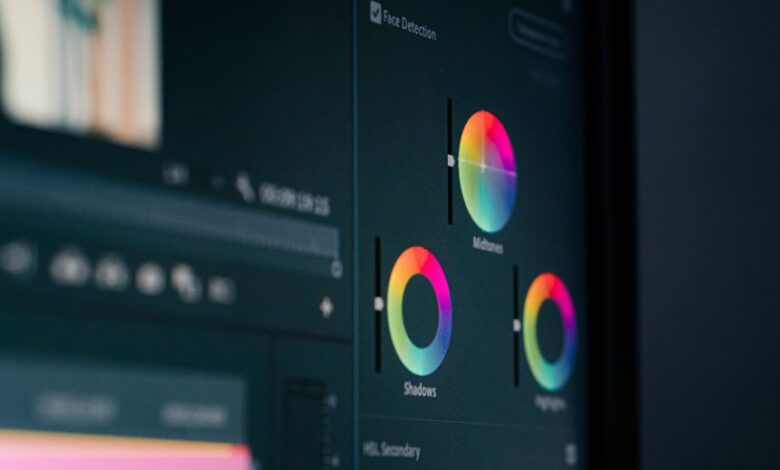
Color correction is a foundational step that standardizes footage across scenes. It requires precise assessment of resolution, exposure, white balance, and color gamut, followed by targeted adjustments to lift, gamma, and gain for natural skin tones and neutral whites. A cohesive look emerges from consistent contrast and luminance across takes, while nondestructive tweaks preserve mood. The approach is methodical, not decorative, and the path forward hinges on disciplined evaluation—a disciplined path that promises reliability, if one stays the course.
What Color Correction Is Really For (And How It Helps Your Story)
Color correction serves as the technical process of adjusting recorded footage to achieve consistent, accurate color and luminance across shots, regardless of variable lighting or camera settings. It establishes a coherent baseline for evaluation, enabling precise decisions aligned with color theory. This refinement supports storytelling purpose by clarifying mood, guiding viewer perception, and preserving visual integrity across scenes without distracting variance.
Read the Footage: Identifying Shot Basics Before You Adjust
Before making adjustments, the editor must read the footage to establish baseline characteristics: resolution, frame rate, exposure, white balance, and color gamut across each shot. This procedure supports Shot basics and Footage evaluation, enabling precise correction decisions. A detached, technical stance records inconsistencies, notes codec constraints, and anticipates grading scope, ensuring consistent output. Clear documentation guides reproducible adjustments and cross-device fidelity.
Skin Tones and White Balance: Dial In for Natural Looking People
In practical terms, managing skin tones and white balance begins with aligning the baseline established during footage evaluation to target ranges that preserve natural appearance across diverse lighting.
The approach emphasizes precise calibration of skin tones and white balance to maintain neutrality, avoid color casts, and sustain consistent rendering under varying practical conditions for authentic on-screen representation.
Build a Cohesive Look: Matching Contrast, Exposure, and Color Across Scenes
A cohesive look across scenes requires strict alignment of contrast, exposure, and color decisions to maintain visual continuity from shot to shot. Color grading procedures enforce consistent lift, gamma, and gain across segments, while exposure curves harmonize luminance.
Scene continuity hinges on shared palette, tonal range, and contrast thresholds, preventing perceptual jumps that disrupt narrative flow and viewer immersion.
Quick Fixes You Can Trust: Practical Adjustments for Everyday Editing
Quick, reliable adjustments enable editors to address common footage quirks without redoing core color decisions.
Practical tweaks emphasize nondestructive workflows: targeted lift/gamma for contrast consistency, subtle midtone balance, and precise color temperature shifts to preserve skin tones.
These adjustments support consistent grading across takes, minimize banding, and maintain fidelity while enabling rapid iteration for everyday editorial decisions.
Frequently Asked Questions
How Do I Gauge Color Accuracy on a Non-Professional Monitor?
The answer: They should perform calibration basics with a validated test pattern, then compare against known reference colors; use display validation tools, cross-check gamma and white point, and adjust brightness and contrast to maintain consistent, reproducible color fidelity.
What Role Does Waveform Monitoring Play in Quick Edits?
Waveform monitoring guides precise exposure and color balance during quick edits, ensuring consistent luminance across shots and preventing clipping; it provides objective signals that streamline decisions, reduce guesswork, and preserve fidelity while accommodating creative flexibility for editors.
How Can I Fix Color Casts Without Harming Skin Tones?
Color calibration restores balance by neutralizing color casts while preserving skin tone fidelity, preventing oversaturation or hue shifts. It requires precise white balance, targeted lifts, and evidence-based adjustments to maintain natural skin tone and overall image fidelity.
Which LUTS Are Best for Documentary vs. Cinematic Looks?
LUT selection favors documentary or cinematic aims by matching mood and grading latitude; LUTs are chosen to complement workflow alignment, ensuring consistent color pipelines, camera profiles, and exposure metadata, while preserving skin tone fidelity and creative intent across sequences.
How Do I Batch-Correct Footage From Different Cameras Efficiently?
Batch-correcting footage from different cameras efficiently requires standardized workflows, metadata, and consistent lookups. A single metaphor at the start clarifies: a well-tuned engine. This approach aligns batch correcting workflows with color fidelity and color midelity benchmarks.
Conclusion
In a quiet workshop, a color wheel spins like a compass, guiding a craftsman through storms of light. Each clip is a plank, each adjustment a brace, aligning shadows and highlights with exacting intent. Skin tones, once wavering, settle to truthful echoes; whites forgive the eye, not the sensor. The builder then stitches scenes into a single vessel, a horizon of sameness that carries the story forward. Precision, restraint, fidelity: the palette’s true vocation.